How do I create embedded Signup Forms?
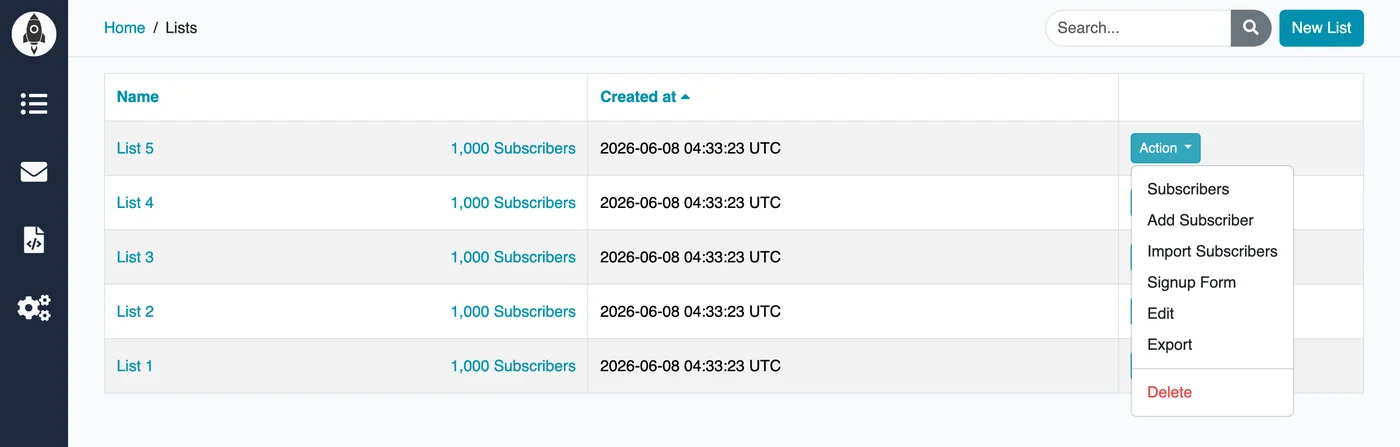
Go to the Lists page in your account, find the list you want to collect signups for, and open its Action menu. Select Signup Form to open the form builder.
The form builder lets you choose which fields to include and tweak the look of the form. Once you're happy with it, copy the generated HTML snippet and paste it into your website. Anyone who submits the form is automatically added to that list.